It was a different amount, today i had to pay a cost for transferring euro to dollar
Well, that’s a function of the form of payment. Some forms of payment (like certain of my credit cards) will do the foreign currency exchange upfront. Others will tack on their fees after the fact. I don’t know how you’d get around the foreign currency exchange. (And I’m sure you’re already mindful of what’s been going on in the currency markets.)
1 Like
Even if you pay directly with debit/credit card, and if it is in different currency, you will be charged currency conversion fess + applicable taxes.
The only way out is the payment processor should accept all currencies, which isn’t possible, since our financial network is not designed in such a way.
This is a best use case for crypto, but unfortunately it’s still not accepted by governments and the transfer/gas fee is insane!
5 Likes
Hello, If I wear it, will this “boost” or potentiate other healing fields like Plasma Protocol?
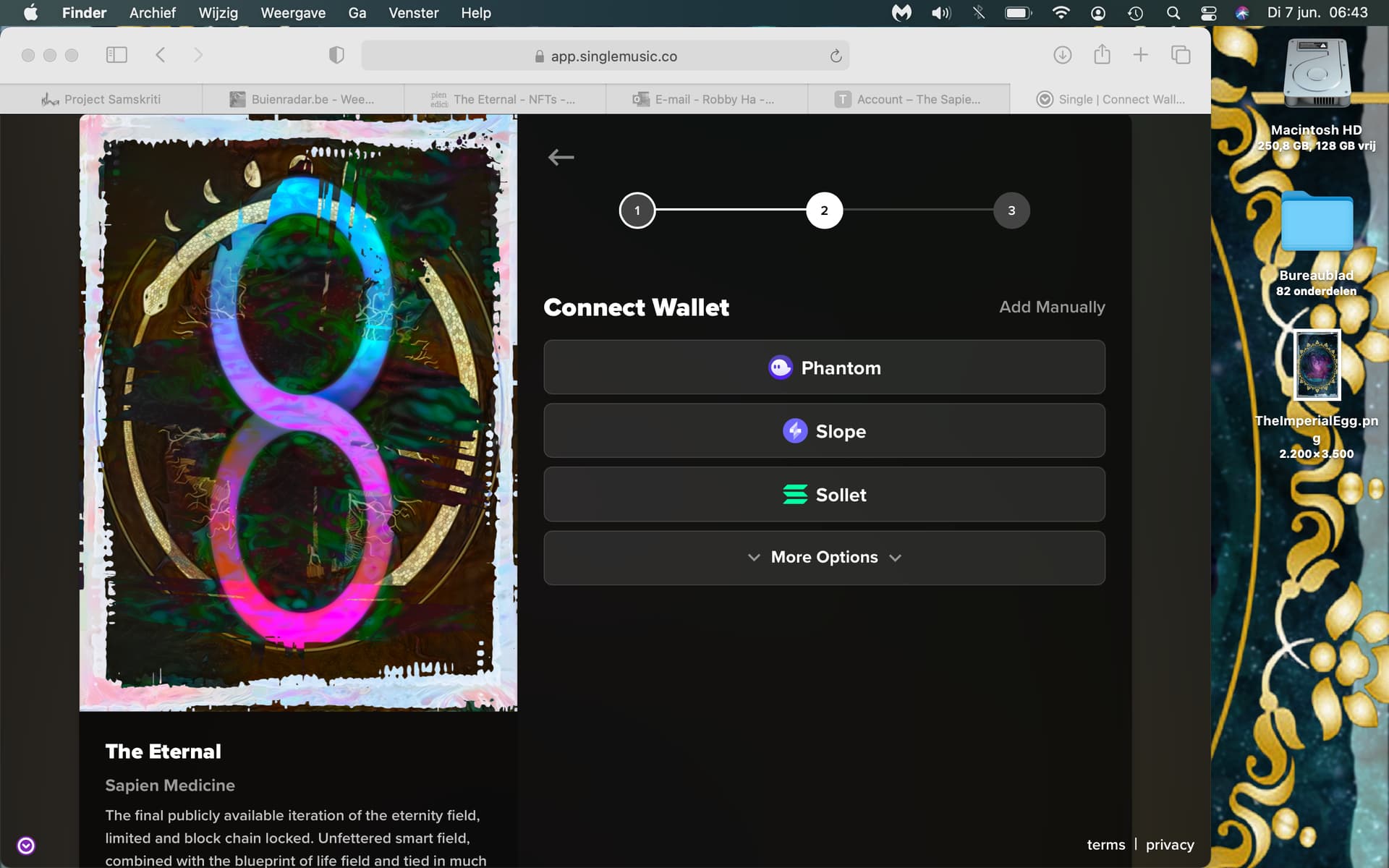
I just bought The Eternal and i’m trying to claim the nft and have to set up a wallet but when i push Phantom nothing seems to happen. I also see a button add manually where i can fill in wallet address but i don’t have one yet. I’m working from my computer btw
Can someone tell me what to do next and/or guide me through the next steps?
3 Likes
Download Phantom first:
Follow the steps with setting up your wallet.
Then manually add the wallet address and transfer your NFT.
11 Likes
You have to have the Phantom extension installed on your browser, from the screenshot it’s Safari. I’m not sure about the extension availability in Safari.
Can you try in Chrome?
5 Likes
I’m using safari, i will try google chrome
4 Likes
Suppose you have phantom wallet installed. Then you’ll see this on browser extensions. (I am using brave browser, but any chromium based browsers are more or less the same.)

Then setup your wallet follwing the steps in the official webpage gpo linked.
After setting it up, click on the extension logo, then you’ll see the wallet address. I suppose by default you set up Phantom wallet on the Solala chain only. So the address should be correct unless you do something else with it.
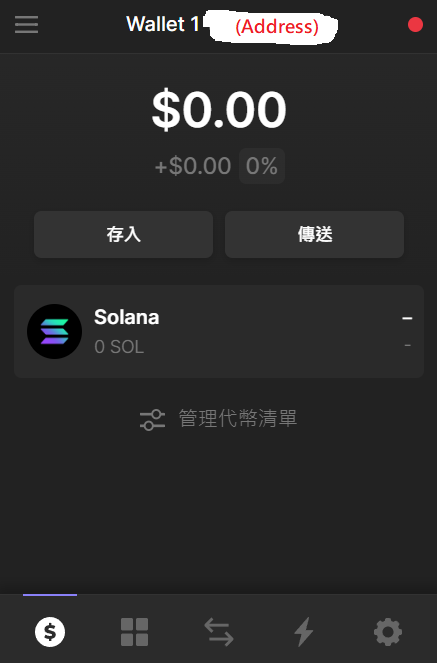
Click on the wallet address and its copied. You can add it manually now. Make sure the wallet address is correct (and making sure you are transfering on Solana chain, but I suppose you don’t use Phantom for other chains)! Otherwise you’ll lose the NFT.
7 Likes
I finished the proces but the page closed and is gone 
I don’t see any wallet or address
Ok i saw it on the right upper corner
go to google chrome and install phantom extension,after that open you email from sapien shop and go again with all steps
1 Like
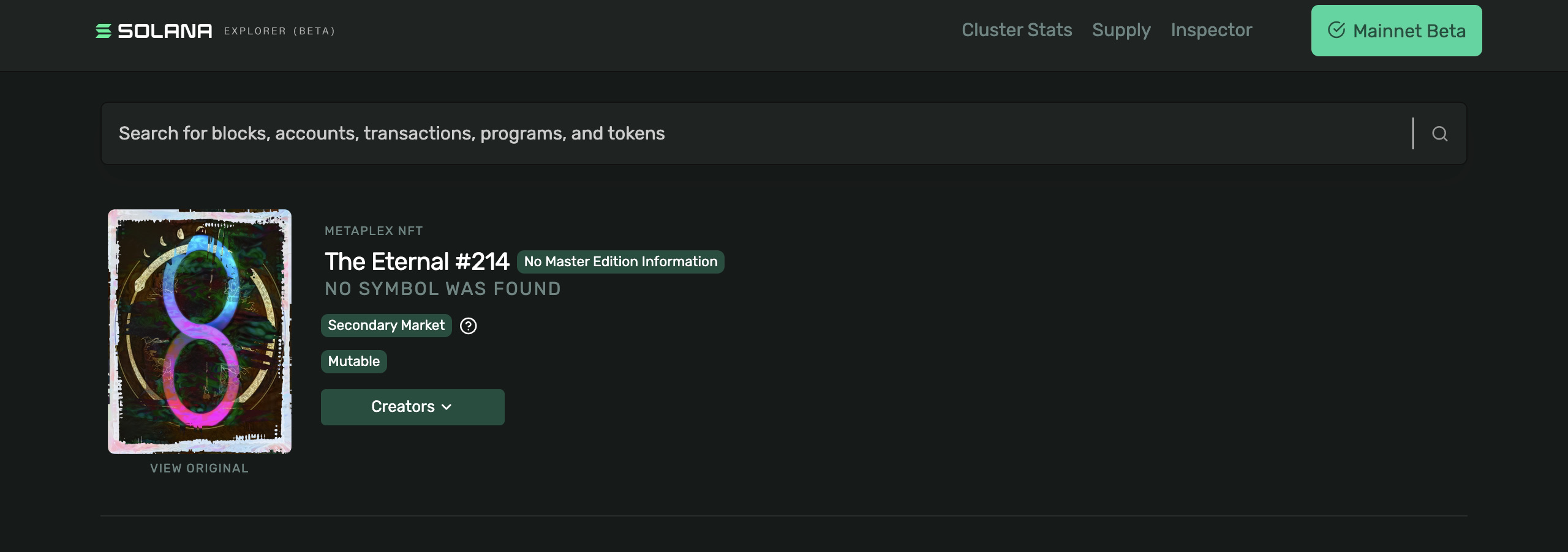
You can double check the transfer went through to your account by clicking the square at the bottom of the Phantom app in Chrome (not sure about Safari) and you should see the NFT there.
2 Likes
i don’t see a square, i don’ t see my wallet i don’t see the nft
Ok. First go to chrome.
Press ALT + Shift + P.
Does the Phantom app open?
5 Likes
Yes and i see the nft
3 Likes
Ok, click on the square at the bottom of the app. do you see your NFT?
3 Likes
But how to access if i use another computer in the future or my phone?
Do i have an account on Selona and can i log in?
You don’t have a “account” on Solana to log in. Solana is a blockchain, which is a large ledger on the internet. All the history of your NFT is kept record on this blockchain. The NFT is just a string of codes that “lives” on the blockchain.
What you bought is the “key” to the NFT, stored in your Phantom wallet. This key proves your ownership and access to that string of codes we call NFT.
7 Likes
Thank you! 
It would be nice if i can access it on safari and/or iPhone. I can’t download Phantom on safari.
1 Like